
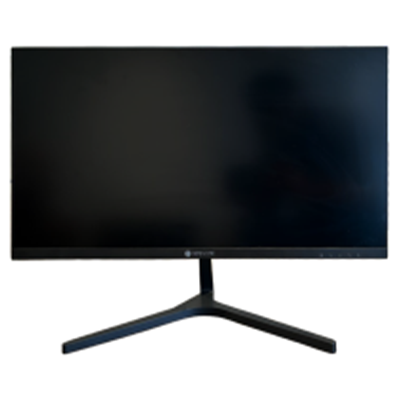
Panel rates, panel types, and sizes explained—pick the right TrendSonic monitor for office productivity or competitive play.
A good display is the center of every desk. TrendSonic monitors cover everyday office panels, frameless designs, and high-refresh gaming screens so you can match the panel to how you actually work and play.
Start with size and resolution: 22–24 inch Full HD suits compact desks, while 27 inch is the sweet spot for gaming and creative work. IPS panels give wide viewing angles and vivid color for design and media.
Gamers should look at refresh rate and response time. A 120Hz or 240Hz TrendSonic gaming monitor feels smoother in FPS titles, while 75–100Hz office models are quieter on the eyes for long document days.
- Choose IPS for color accuracy and wide angles
- Match refresh rate to your GPU and game style
- Prefer frameless designs for multi-monitor setups
- Check HDMI/DP ports before buying cables and docks
Browse TrendSonic monitors below, or contact us with your desk size and use case—we will recommend the right series.
Related products
From the TrendSonic catalog
 TrendSonic TS5322 21.5inch LED Monitor
Contact for price
View product →
TrendSonic TS5322 21.5inch LED Monitor
TrendSonic TS5322 21.5inch LED Monitor
Contact for price
View product →
 TrendSonic TS5320 LED MONITOR 19.5 Inch
Panel information:
Panel Model &n...
Contact for price
View product →
TrendSonic TS5320 LED MONITOR 19.5 Inch
Panel information:
Panel Model &n...
Contact for price
View product →
 TrendSonic TS22IPS120 22 inch LED Monitor
Contact for price
View product →
TrendSonic TS22IPS120 22 inch LED Monitor
TrendSonic TS22IPS120 22 inch LED Monitor
Contact for price
View product →
 TrendSonic M2445-SERIES 24 INCH MONITOR
Model Name
M2445
Screen
Diagonal Dimension...
Contact for price
View product →
TrendSonic M2445-SERIES 24 INCH MONITOR
Model Name
M2445
Screen
Diagonal Dimension...
Contact for price
View product →


